How to Turn a Two-Speaker Podcast Into YouTube Shorts
October 27, 2026
To turn a two-speaker podcast into YouTube Shorts, clip complete exchanges and reframe to 9:16 so the active speaker stays in frame. Here is the setup, the layouts and the steps.
Updated: 27 October 2026
We make LumiClip, so weigh our view accordingly; we've noted where another tool is stronger.
This guide covers which recording setup crops best, when to use each layout, and a step-by-step workflow from full episode to published Short. Prices and platform rules were checked on official pages on 27 October 2026.
What is the best way to turn a two-speaker podcast into YouTube Shorts?
Use a clipper with active-speaker reframing, not a fixed center crop. Upload the full 16:9 episode, let the AI pick self-contained exchanges, and check that the vertical frame follows whoever is talking. Use split screen only when both people matter at once. Keep each Short under YouTube's 3-minute limit and link it to the full episode.
Why are two-speaker podcasts hard to turn into vertical video?
A 9:16 crop of a 16:9 frame keeps less than a third of the picture, so a wide shot of two hosts can never show both faces at full size. In a 1920x1080 frame, a full-height vertical crop is only about 608 pixels wide. If the hosts sit at opposite ends of the table, a center crop shows the empty space between them.
That is why two-person clips fail in ways solo clips don't:
- Center crops miss both people. The middle of the frame is often the table, a microphone or the gap between chairs.
- Speaker changes are fast. A good exchange can switch speakers every few seconds, and a static crop can't keep up.
- Reactions matter. A guest laughing or shaking their head is often half the moment, but it's off-screen in a single-speaker crop.
For solo videos, webinars, screen recordings and other non-podcast footage, our guide on how to convert horizontal video to vertical (16:9 to 9:16) compares manual cropping, editor keyframing and AI speaker tracking.
Which podcast recording setup works best for vertical clips?
Separate framing for each speaker gives the reframer the most to work with, but any clean setup can work. What matters is that each face is well lit, in focus and not cut off at the frame edge. Here is how the three common setups behave when you reframe them to 9:16.
One wide camera on both hosts
- What you get: both people in one shot, usually side by side.
- Works well for: split-screen layouts, because both faces are already in the frame.
- Watch out for: low resolution after cropping. Record in 4K if you can, so each face still looks sharp when cropped to vertical.
One camera per speaker, edited together
- What you get: a 16:9 edit that cuts between close-ups.
- Works well for: single-speaker framing, since each close-up already centers one face.
- Watch out for: the reframer can only show what's in the edit. If your editor cut away from the guest's reaction, the Short can't show it either.
Remote recording (Riverside, Zoom or similar)
- What you get: two video tiles side by side, or a speaker-view recording that switches automatically.
- Works well for: split-screen, because each tile is a ready-made half of a vertical frame.
- Watch out for: speaker-view recordings already switch on audio. Export gallery or side-by-side view instead, so the clipper gets both faces to choose from.
Which layout should you use for each moment?
Use single-speaker framing by default, split screen when both people genuinely talk over each other, and picture-in-picture when one person speaks and the other's reaction adds meaning. LumiClip's active-speaker reframing picks between these three layouts automatically, and you can review every switch before export.
Single-speaker
The vertical frame follows whoever is talking and switches when the speaker changes. This suits answers, stories and opinions, which are most podcast clips. It gives each face the most screen space, so it reads best on a phone.
Split screen
Both speakers are stacked, one above the other. Save it for real back-and-forth: a debate, a joke and the comeback, or an interruption. Used for a whole clip where only one person talks, it halves the size of the speaker for no reason.
Picture-in-picture
The speaker fills the frame and the listener appears as a small inset. It works when the reaction is the point, for example a guest's surprised face while the host tells a story.
How do you turn a two-speaker podcast into YouTube Shorts with LumiClip?
Upload the episode, let the AI rank moments, check the framing on every speaker change, fix the captions, then publish with a link to the full episode. LumiClip, an AI video clipper that turns long videos into short vertical clips for TikTok, Reels and YouTube Shorts, runs the reframing and captions in one pass. Here are the steps.
Step 1: Upload the highest-quality version of the episode
Drop in your master video file, or paste the YouTube link if the episode is already on your channel. The higher the source resolution, the sharper each face looks after the vertical crop. The free plan accepts uploads up to 1 hour, and Starter and Pro accept up to 4 hours, per the LumiClip pricing page.
Step 2: Let the AI find complete exchanges
LumiClip scores each segment on hook strength, speech clarity, visual variety and emotional peaks, then shows a ranked list of clips with a score on each. If you want something specific, ask for it in your own words, such as a guest's name, a topic, or a phrase you remember.
When you pick clips, look for moments that make sense without the rest of the episode:
- A question and its full answer. Keep the question if the answer doesn't stand alone.
- A disagreement. Two people taking opposite sides is the easiest two-speaker hook.
- A story with a payoff. Cut it where the listener reacts, not before.
Step 3: Check the framing on every speaker change
Play each clip and watch every speaker change. Check that the crop lands on the right face and split screen only appears when both people really talk. Slides, gestures and unusual camera angles may still need a manual crop adjustment in the editor.
Step 4: Fix the captions, especially names
Captions are generated word by word in 30+ languages with automatic language detection. Two-speaker shows produce more names, in-jokes and cross-talk than solo videos, so check guest names, brand names and jargon in the transcript before export. Keep captions inside the vertical safe area so they don't cover a face in split screen.
Step 5: Apply your brand kit
Save your fonts, colors, logo and caption style as a Brand Kit preset once, and every clip from the show will look the same. For guest episodes, a small name label helps new viewers know who is speaking.
Step 6: Publish or schedule to YouTube Shorts
Download the vertical MP4s, or connect your YouTube account and schedule the clips from LumiClip. The same clips can go to TikTok and Instagram Reels. If you'd rather not repeat this every week, our guide to auto-clipping a YouTube channel to TikTok shows how the automation agent clips and posts new uploads for you.
How long should a two-speaker podcast Short be?
Long enough to hold one complete exchange, and no longer than 3 minutes, which is YouTube's current upload limit for Shorts. Per YouTube Help, a Short must be up to 3 minutes long with a square or vertical aspect ratio.
The limit isn't a target. Start the clip as late as you can while it still makes sense, cut the filler before the first line, and end on the laugh or the punchline rather than the wind-down.
How do you link a Short back to the full episode?
Add the full episode as the Short's related video in YouTube Studio, so a clickable link appears under your channel handle. Per YouTube Help on related videos, open Content in YouTube Studio, click the Short, select a related video from your channel and save. The linked video must be public or unlisted, and the feature needs advanced feature access.
Also put the episode title and link in the description. On TikTok and Reels, point viewers to the link in your bio.
Can other AI clippers handle two-speaker podcasts?
Yes. Most AI clippers now track speakers, so compare layouts, limits and price rather than whether tracking exists. Here are the two we've checked for this use case, with the same labels for each.
LumiClip
- Two-speaker layouts: single-speaker, split screen and picture-in-picture, chosen automatically per moment.
- Price (as of October 2026): Starter is $9.99/month for 360 credits (6 hours of video) and Pro is $24.99/month for 1,200 credits, per the LumiClip pricing page. Prices show in euros for visitors in Europe.
- Best for: podcasters who want low cost per hour, captions and scheduling in one place.
- Watch out for: sources longer than 4 hours need to be split first.
OpusClip
- Two-speaker layouts: seven layouts, including Split for two speakers and Three and Four for panels, per its layout and reframing help article. Split only works when both speakers appear together in the original frame.
- Price (as of October 2026): Starter is $15/month and Pro is $29/month, per the OpusClip pricing page.
- Best for: panel shows with three or four people in one shot, where its dedicated layouts are a real strength.
- Watch out for: higher cost per source hour than LumiClip on monthly billing.
For five tools compared on multi-speaker layouts, caption fixes, episode length limits and price, see our guide to the best AI clip makers for podcasters. For the full side-by-side, read our LumiClip vs Opus Clip comparison. If price decides it, our cheapest AI video clipper price check covers the lowest watermark-free plans.
What mistakes should you avoid with two-speaker podcast clips?
The most common mistakes are cutting mid-thought, using split screen for a whole clip, and leaving the guest's name misspelled in the captions. Each one is quick to fix in review:
- Cutting the answer in half. If the clip ends before the point lands, extend it a few seconds.
- Split screen everywhere. Switch back to single-speaker when only one person talks.
- Captions covering faces. Move captions to the middle band of the frame in split layouts.
FAQ
Can I turn an audio-only two-person podcast into YouTube Shorts?
Yes, but there are no faces to track. LumiClip handles audio-only episodes with an audiogram-style layout, waveform and cover art, so the clip still works on a muted feed.
Does split screen work if we recorded on two separate cameras?
Only if both feeds are in the video you upload. If your edit cuts between close-ups, single-speaker framing works best, because only one face is on screen at a time.
How many Shorts can I get from one episode?
It depends on the episode. LumiClip ranks every candidate clip with a score, so you can publish the strongest ones first and skip the rest.
Do I need permission to clip my co-host or guest?
If you own the show, check your guest agreement. If you're clipping someone else's podcast, get permission from the show first, because reusing their video without it can lead to copyright claims.
Can I make Shorts from my podcast for free?
You can test it. LumiClip's free plan includes 60 credits once (1 hour of video) with 720p, watermarked exports. Starter removes the watermark and adds 1080p exports and scheduling.
Should you use an AI clipper for two-speaker podcast Shorts?
Yes, if you publish weekly: active-speaker reframing removes the slowest part of the job, and you keep control in a quick review. Record so each face is clear, use single-speaker framing by default, save split screen for real exchanges, and link every Short to the full episode.
Try LumiClip on your latest episode with the free plan, then compare plans on the pricing page when you're ready to post without a watermark.
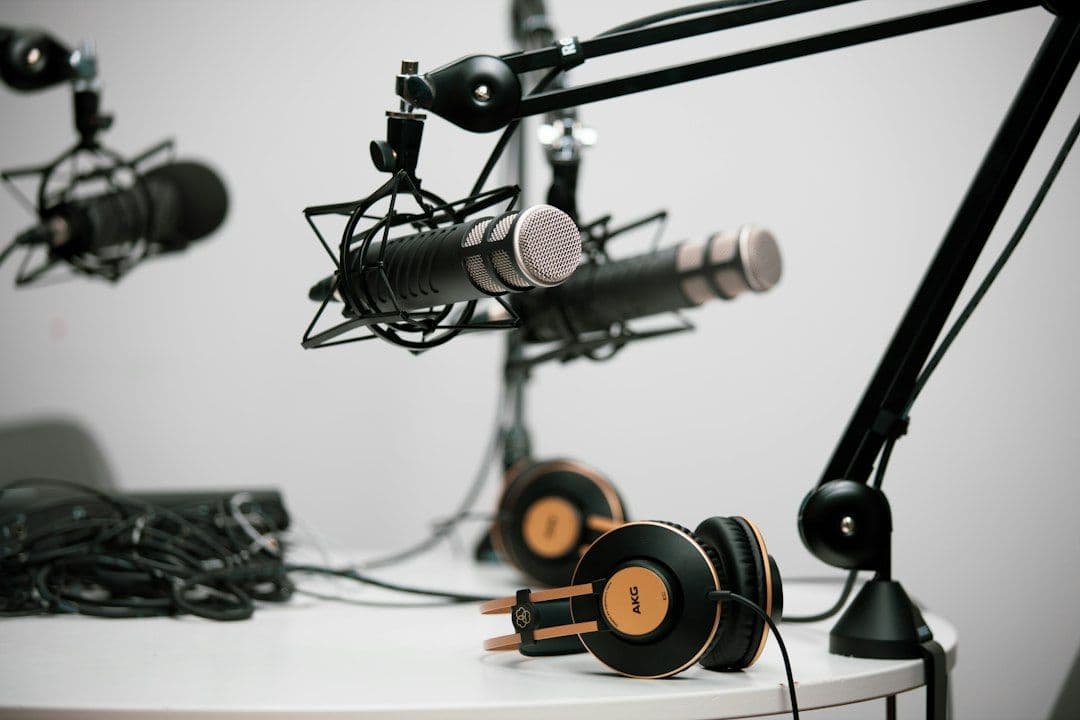
Cover photo by Jonathan Farber on Unsplash
Try LumiClip free
Paste a YouTube link and get viral Shorts in minutes. No credit card required.