Best AI Clip Makers for Podcasters in 2026
October 30, 2026
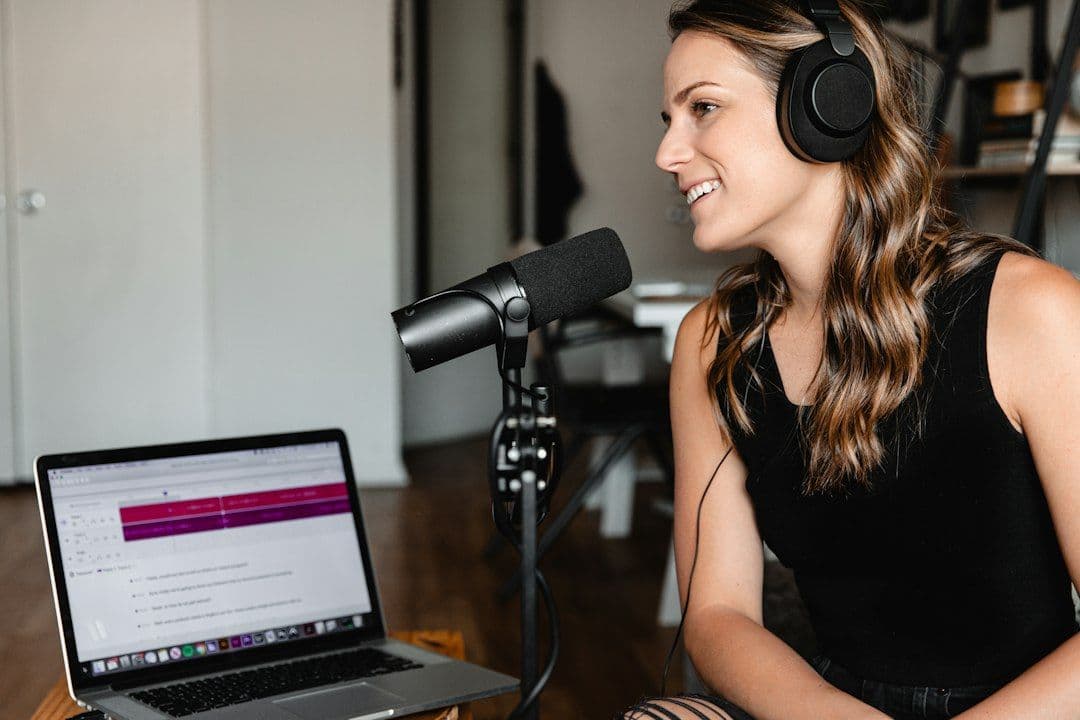
The best AI clip maker for podcasters is the one that frames both hosts, handles your full episode length and costs least per hour. Here are five tools compared.
Updated: 30 October 2026
We make LumiClip, so weigh our view accordingly; we've listed where competitors are stronger.
This guide compares LumiClip, OpusClip, Vizard, Klap and Submagic on the four things that decide whether podcast clips are worth posting: multi-speaker framing, caption accuracy, episode length limits and price. Every price and limit below was checked on each vendor's own pricing page or help center on 30 October 2026. At the end there's a checklist you can run on your own episode before you pay for anything.
What is the best AI clip maker for podcasters?
For most video podcasts, pick a clipper with automatic multi-speaker layouts and an episode limit longer than your show. LumiClip is the lowest-cost pick at $9.99/month for 6 hours of video. OpusClip handles the longest episodes (up to 10 hours). Klap has the most podcast layouts for panels. Submagic is best for caption styling on clips you've already cut.
How did we judge podcast clipping software?
We judged each tool on what podcasters actually fight with: two or more people in one frame, names in captions, 60- to 180-minute episodes, and a weekly budget. We didn't run a scored test of all five tools, so we don't publish a ranking by clip quality. Instead, each tool gets the same labels, taken from its own pages:
- Multi-speaker framing: which vertical layouts it offers for two hosts, panels and remote guests, and whether it picks them automatically.
- Caption accuracy tools: caption languages, and how you fix names and jargon. No AI transcript is perfect on cross-talk, so the edit tools matter.
- Episode length limit: the longest single upload each plan accepts.
- Price (as of October 2026): the entry paid plan on monthly billing, and how usage is counted (minutes, clips or credits).
- Free plan: what you can test before paying.
Which AI clip makers work best for podcasts?
LumiClip, OpusClip, Vizard and Klap all clip full episodes with speaker tracking; Submagic is a caption editor first, with long-video clipping as an add-on feature. The biggest differences are how usage is counted and how long an episode each plan accepts. Here's each tool, with the same labels in the same order.
1. LumiClip: best budget pick for weekly shows
LumiClip, an AI video clipper that turns long videos into short vertical clips for TikTok, Reels and YouTube Shorts, scores every segment on hook strength, speech clarity, visual variety and emotional peaks, then reframes the best moments to 9:16.
- Multi-speaker framing: active-speaker reframing picks single-speaker, split or picture-in-picture framing for each moment. Audio-only episodes get an audiogram-style layout with a waveform and your cover art, per the podcast clip maker page.
- Caption accuracy tools: word-level animated captions in 30+ languages with automatic language detection, and an editable transcript for fixing names before export.
- Episode length limit: up to 1 hour on Free, 3 hours on Try-Out, and 4 hours on Starter and Pro, per the LumiClip pricing page.
- Price (as of October 2026): Starter is $9.99/month for 360 credits (6 hours of video) and Pro is $24.99/month for 1,200 credits (20 hours). One credit is one minute of video. Prices show in euros for visitors in Europe.
- Free plan: 60 credits once (1 hour of video), 720p exports with a watermark.
- Strengths: lowest cost per source hour here, scheduling to TikTok, Reels and Shorts, and, on Pro, an automation agent that can watch your YouTube channel and clip each new episode automatically.
- Watch out for: episodes longer than 4 hours need splitting, and the free credits are one-time, not monthly.
2. OpusClip: best for very long episodes
- Multi-speaker framing: seven layouts, including Split for two speakers and Three or Four for panels, per its layout and reframing help article. Split only works when both speakers appear together in the original frame.
- Caption accuracy tools: over 25 transcription languages (many marked beta), plus a Brand Vocabulary list so guest names and terms are spelled correctly in new clips.
- Episode length limit: up to 10 hours per video, per OpusClip's help center.
- Price (as of October 2026): Starter is $15/month for 150 credits and Pro is $29/month for 300 credits, per the OpusClip pricing page. It charges 1 credit per minute of imported video.
- Free plan: 60 credits a month, with a watermark, no editing, and clips that can't be exported after 3 days.
- Strengths: the longest source limit here, dedicated panel layouts and a full editor on paid plans.
- Watch out for: a weekly 1-hour show (about 260 minutes a month) outgrows Starter's 150 minutes, so you'd likely need Pro.
3. Vizard: best free plan for testing
- Multi-speaker framing: speaker identification centers the active speaker, and you can pick which speakers stay visible in the editor. Vizard's own help center notes that the AI can frame the wrong person when two faces are the same size, and shows how to fix the crop by hand.
- Caption accuracy tools: auto subtitling and subtitle translation are listed in its plan comparison, and you can download transcripts as TXT on Free or TXT and SRT on paid plans.
- Episode length limit: 60 minutes per upload on Free and 600 minutes on paid plans, per the Vizard pricing page.
- Price (as of October 2026): Creator is $29/month (or $14.50/month billed yearly) from 600 credits, at 1 credit per minute of video.
- Free plan: 60 credits a month, the full editor, 720p exports, a 10-minute export length and 3-day storage.
- Strengths: a monthly free allowance with the full editor, and 4K export on Creator.
- Watch out for: two-person shots where both faces are equal size need checking clip by clip.
4. Klap: best for panel and remote-guest layouts
- Multi-speaker framing: split screen for two hosts, 3- and 4-screen layouts for panels and picture-in-picture for remote guests, applied automatically, per Klap's podcast clip maker page.
- Caption accuracy tools: captions in 52 languages with speaker labels. Klap describes its captions as 98% accurate; we haven't tested that claim.
- Episode length limit: up to 4 hours per episode.
- Price (as of October 2026): Basic is $29/month for 100 clips, or $14/month billed yearly, per the Klap pricing page. You pay per generated clip, not per minute.
- Free plan: you can try 1 video and preview the clips, but downloading or posting needs a paid plan.
- Strengths: the most multi-host layouts here, speaker-labeled captions and unlimited social accounts on every plan.
- Watch out for: Klap says it isn't built for audio-only podcasts, and every generated clip counts toward your monthly total, even ones you don't post.
5. Submagic: best for caption styling
- Multi-speaker framing: face tracking is on by default for Magic Clips, per its API docs, but we didn't find documented two-speaker or panel layouts on the pages we checked.
- Caption accuracy tools: AI auto captions on every plan, plus a custom words dictionary on Business for names and jargon.
- Episode length limit: 2 minutes per upload on Starter, 5 minutes on Pro and 30 minutes on Business, per Submagic's length limits article. Full episodes go through Magic Clips, which costs 8 credits per Magic Clip.
- Price (as of October 2026): Starter is $19/month for 45 credits and Pro is $39/month for 120 credits, per the Submagic pricing page.
- Free plan: the pricing page offers a free start with no credit card, without listing limits.
- Strengths: strong caption templates, B-roll and audio clean-up for clips you've already trimmed.
- Watch out for: it's the hardest of the five to budget for full-length episodes. Our Submagic alternative for long videos guide covers this in detail.
Quick verdict
- LumiClip: best value for weekly video or audio-only shows up to 4 hours.
- OpusClip: best if your episodes run past 4 hours or you need panel layouts plus a deep editor.
- Vizard: best for testing on a recurring free plan before you pay.
- Klap: best for panels and remote guests if you post most of the clips it generates.
- Submagic: best for styling captions on clips you've already cut, not for full episodes.
How much does an AI clip maker cost for a weekly podcast?
A weekly 1-hour show uses about 260 minutes of video a month, which costs $9.99 on LumiClip Starter and $29 on OpusClip Pro or Vizard Creator at monthly prices. Klap is priced per clip instead, so the cost depends on how many clips each episode produces, not how long it is.
Here's the maths at monthly billing, with every price from the vendor pricing pages linked above:
- LumiClip Starter: $9.99 for 360 minutes. Covers about six 1-hour episodes, so roughly $1.67 per source hour.
- OpusClip: Starter's 150 minutes covers two 1-hour episodes. Pro at $29 for 300 minutes covers a weekly show, about $5.80 per source hour.
- Vizard Creator: $29 for 600 minutes covers up to ten 1-hour episodes, about $2.90 per source hour.
- Klap Basic: $29 for 100 clips. Klap's own guide says a 2-hour episode yields 20 to 40 clips, so four 2-hour episodes could use most or all of the allowance. Klap says you can adjust the target clip length and count.
- Submagic: per-upload limits of 30 minutes or less mean full episodes go through Magic Clips, so check your usage after the first run.
If price decides it, our cheapest AI video clipper price check ranks watermark-free plans across more tools.
Which tool handles two or more speakers best?
Klap and OpusClip document the most multi-speaker layouts, LumiClip covers single, split and picture-in-picture plus audio-only, Vizard follows the active speaker, and Submagic documents face tracking only. The right choice depends on how your show is recorded more than on the tool.
- One wide camera on both hosts: split screen works because both faces are already in one frame. LumiClip, OpusClip, Vizard and Klap all offer it.
- Separate cameras edited together: single-speaker framing works best, because only one face is on screen at a time.
- Remote recordings: export a side-by-side or gallery view so the clipper can see both people. Vizard's help center recommends side-by-side mode for Zoom recordings.
- Panels of three or four: OpusClip and Klap have dedicated 3- and 4-person layouts.
- Audio-only shows: LumiClip renders audiogram-style clips with a waveform and cover art. Klap says audio-only shows aren't a fit.
For setup tips and layout choices, read our guide on turning a two-speaker podcast into YouTube Shorts. If your show isn't framed for vertical at all, our guide on converting horizontal video to vertical compares the methods.
How accurate are AI captions on podcast audio?
No tool publishes an independent accuracy test, so treat accuracy claims as marketing and judge each tool on how quickly you can fix mistakes. Podcasts are harder than solo videos because of cross-talk, guest names, brand names and in-jokes.
What to look for:
- A saved word list: OpusClip's Brand Vocabulary and Submagic's custom words dictionary (Business plan) remember spellings for new clips.
- Fast in-browser fixes: LumiClip, OpusClip and Vizard all let you edit the transcript or captions in the browser, and OpusClip's Apply to all fixes every instance of a word in a clip.
- Speaker labels: Klap can label who's talking, which helps when the sound is off.
- Language support: Klap lists 52 languages, LumiClip 30+ with automatic detection, and OpusClip over 25 (many in beta).
Podcaster checklist: how to choose AI podcast clipping software
Run one real episode through two tools and score the results against this list before you pay for a year. It takes about an hour and avoids the most common surprises.
- Episode length: does your longest episode fit in one upload on the plan you'd buy?
- Monthly usage: multiply episode length by episodes per month and compare it with the plan's minutes, or estimate clips per episode for per-clip tools.
- Two-speaker test: pick a fast back-and-forth exchange. Does the crop land on the right face at every speaker change?
- Reaction shots: can you switch to split screen or picture-in-picture when the listener's reaction matters?
- Names in captions: check every guest and sponsor name in three clips. Count how long the fixes take.
- Audio-only episodes: if you publish any, can the tool make a waveform or cover-art clip?
- Watermark and resolution: is the plan you'd buy watermark-free at 1080p?
- Publishing: can it schedule to TikTok, Reels and YouTube Shorts, or will you upload every clip by hand?
- Storage: how long do projects stay available? Several free plans delete or lock clips after 3 days.
- Automation: if you post weekly, can it pick up new episodes from your YouTube channel without an upload?
How do you clip a podcast episode with LumiClip?
Upload the episode or paste its YouTube link, review the ranked clips, check speaker changes and names, then schedule. It's the same workflow whether you record two people in a studio or a remote interview.
- Step 1: Click Get Free Clips, then upload the MP4 or MP3, or paste the YouTube link.
- Step 2: Review the ranked list of clips. Each one has a score, so start from the top.
- Step 3: Open a clip in the editor and play every speaker change. Switch layouts or adjust the crop where needed.
- Step 4: Fix guest names in the transcript and apply your Brand Kit preset.
- Step 5: Download the vertical MP4s, or connect your accounts and schedule to TikTok, Reels and YouTube Shorts.
FAQ
What is the best free AI clip maker for podcasts?
Vizard and OpusClip both give 60 credits (60 minutes) every month for free, with watermarks. Vizard includes its full editor; OpusClip's free plan has no editing. LumiClip gives 60 free credits once.
Can AI clip makers handle audio-only podcasts?
Some can. LumiClip turns audio-only episodes into audiogram-style clips with a waveform, captions and cover art. Klap says it's built for video podcasts only.
Is per-clip or per-minute pricing better for podcasters?
Per-minute pricing (LumiClip, OpusClip, Vizard) is easier to predict, because you know your episode length. Per-clip pricing (Klap) can work out cheaper if you post most of the clips it generates.
How many clips can you get from one podcast episode?
It depends on the episode. Klap says a 2-hour episode yields 20 to 40 clips. LumiClip ranks every candidate clip with a score, so you can post the strongest few and skip the rest.
Do I need a separate editor after using an AI clipper?
Usually not for social clips. All five tools let you trim and edit captions in the browser. OpusClip Pro can also export to Premiere Pro and DaVinci Resolve if you want a finishing pass.
Which AI clip maker should podcasters choose?
Choose LumiClip if you want the lowest cost per hour for a weekly show, OpusClip if your episodes run past 4 hours, and Klap if you run a panel show. Whatever you pick, test one real episode first and check every speaker change and guest name.
Start free with LumiClip on your latest episode, then compare plans on the pricing page when you're ready to post without a watermark. If you're weighing the two most common options, read our LumiClip vs Opus Clip comparison.
Try LumiClip free
Paste a YouTube link and get viral Shorts in minutes. No credit card required.